Your channels

Your brand’s content team, on autopilot.

Set the brand up once. Prism plans, writes, designs, and publishes your social content in that voice, across the channels you’re on. Your team stays in control of what goes out.

Free to start. Prism Launch is $199 a month.
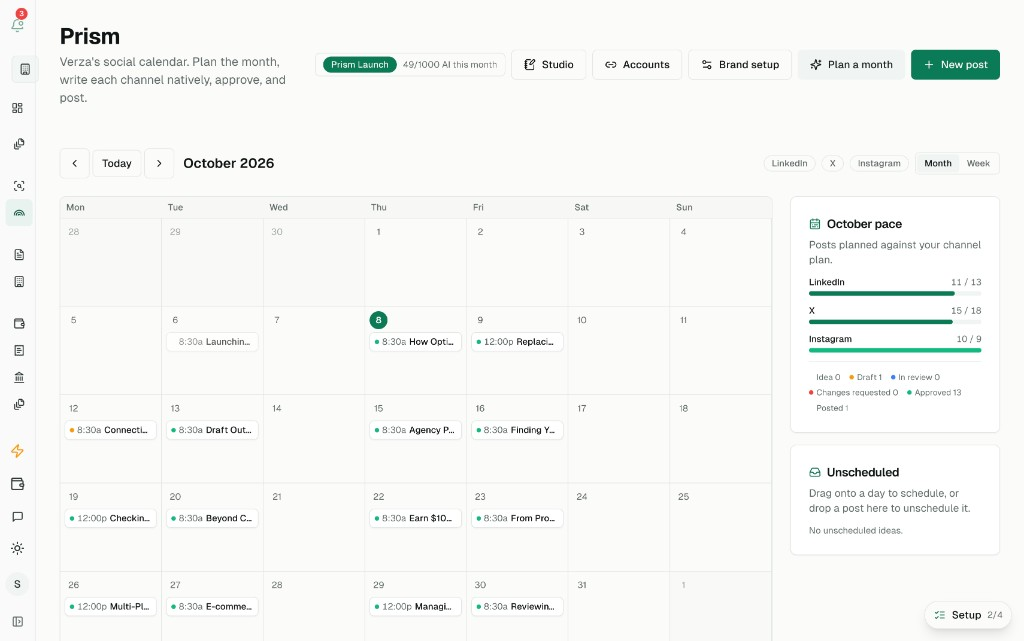
The Prism calendar in the Verza app, October 2026
Verza’s own October calendar in Prism. The bars compare scheduled posts with the pace set for each channel.

How it runs

From the brand setup to a post that’s live.

Everything Prism writes is grounded in that setup. It only names products you’ve added, it uses your real product images, and it avoids the claims you’ve ruled out.

  1. 01

    It starts with your brand

    Tell Prism who you are, who you’re talking to, and what you sell. Add your website, audience, content pillars, the role each channel plays, and any claims you never want made. Upload products, features, or app screens with real images. Prism learns your writing voice from examples you give it.

  2. 02

    Plan a month in minutes

    Prism maps a month of ideas across your channels, paced to how often you want to post on each one. Drag ideas to new dates, filter by channel, and see the pace at a glance. Studio can draft a whole week in one go.

  3. 03

    One idea, written for each channel

    Write the idea once. Prism adapts it the way that platform expects, stays inside the length limit, and flags problems before you publish. A one-line direction rewrites it.

  4. 04

    Visuals come with the draft

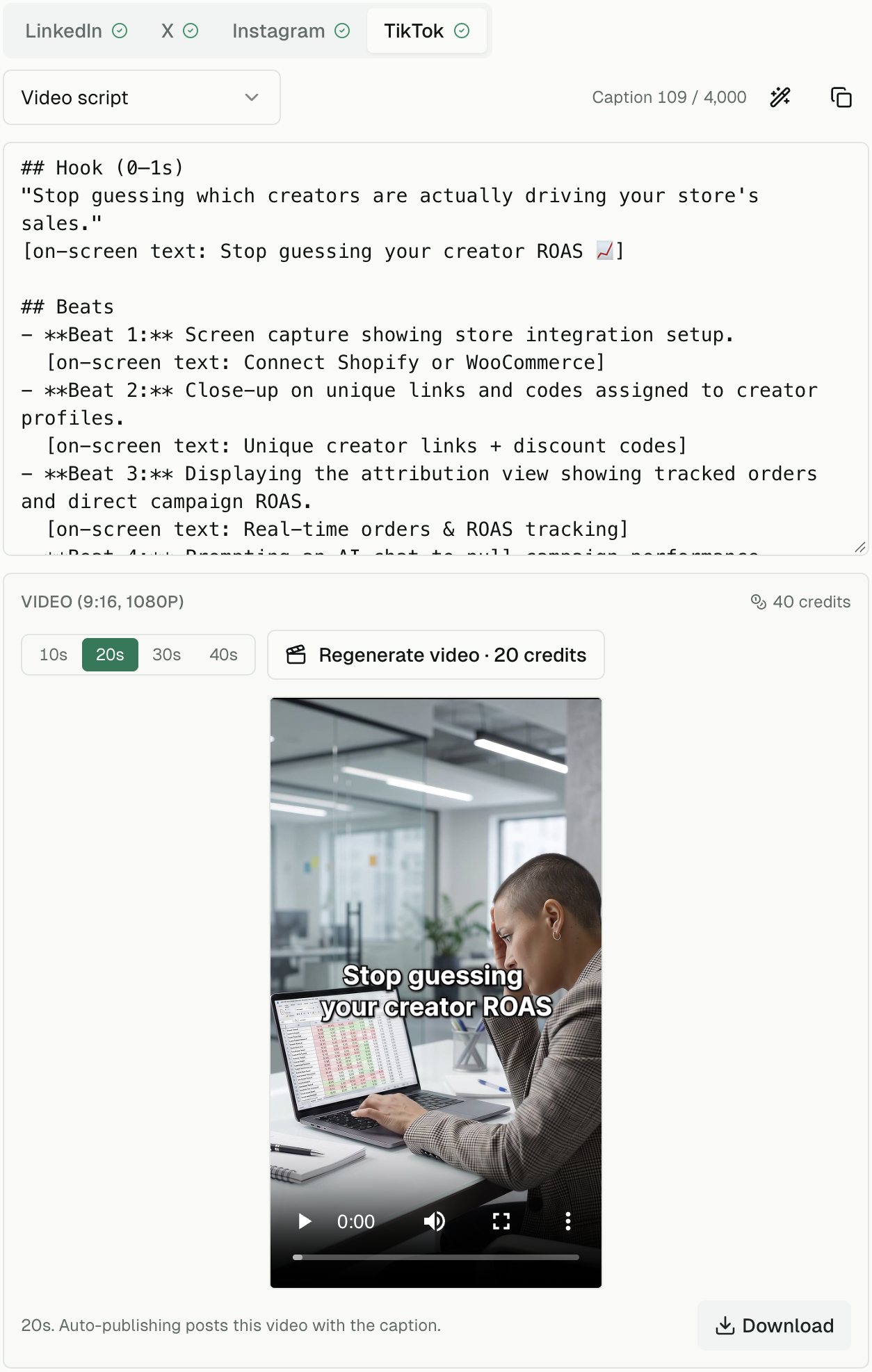
    Carousels use your colors, logo, and fonts, with your real product photos and screenshots. Feed graphics are a finished image for Instagram. A Reel or TikTok script can become a vertical 1080p video, 10 to 40 seconds, with a voiceover and music. Featured products appear from your own images.

  5. 05

    Review and approve as a team

    Posts move from idea to draft, review, and approval. Teammates request changes with comments, approvers sign off, and every edit and decision is logged. You choose whether a post needs approval before it goes out.

  6. 06

    Publish on schedule

    Connect LinkedIn, X, Instagram, and TikTok once. Approved posts publish at the scheduled time, with the copy, slides, image, or video for that channel. Prism tracks each post until it’s live, shows the link, and retries if a network hiccups. You can also copy a post and mark it posted by hand.

Each channel

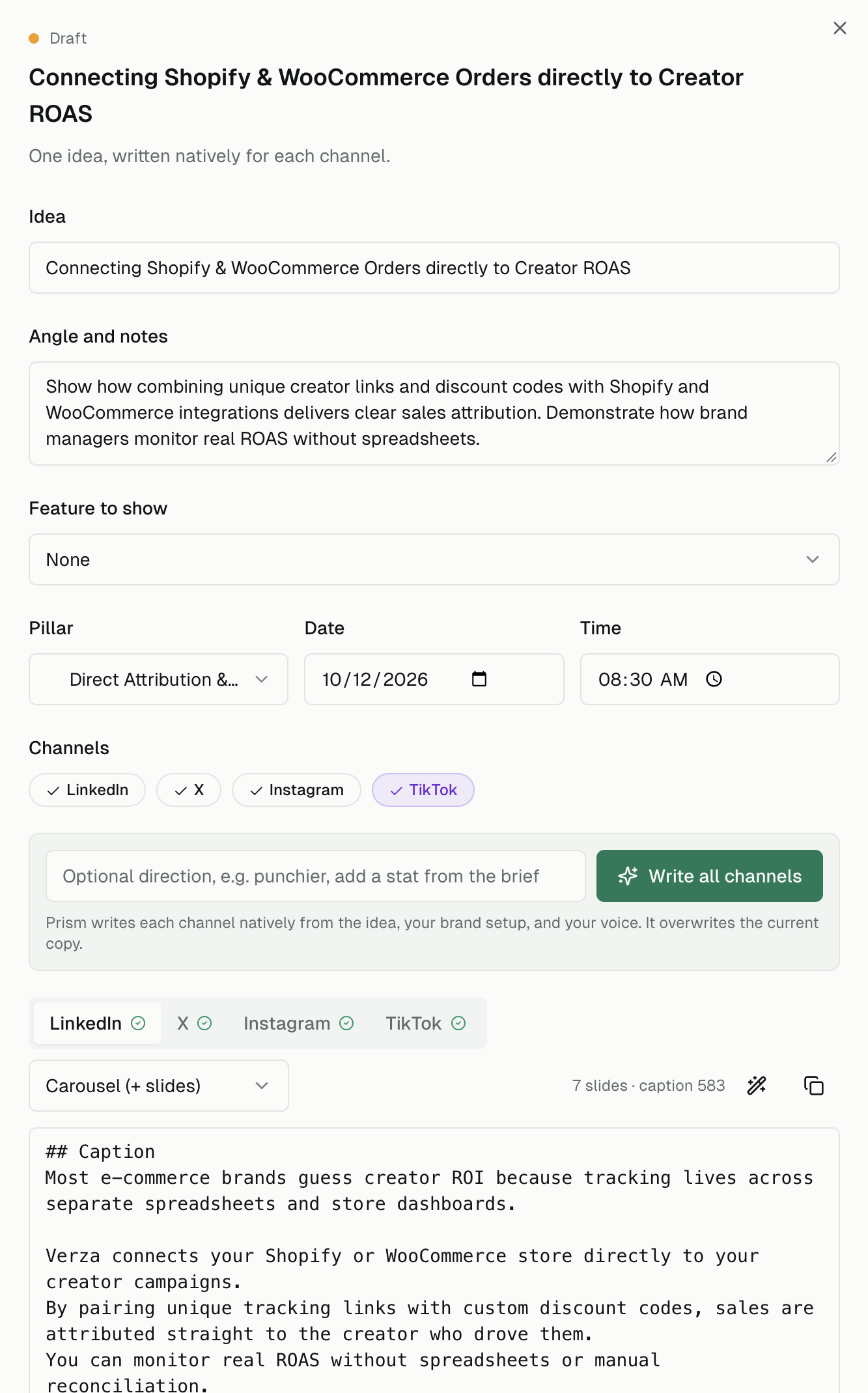
One idea, written natively for every channel.

Each version respects that channel’s length. Want it punchier, or with a stat from your brief? Give Prism a one-line direction and it rewrites.

LinkedIn
Text posts and document carousels.
X
Posts and threads.
Instagram
Carousels, feed posts, and Reels.
TikTok
Video scripts and videos.

Visuals

Carousels, feed graphics, and video.

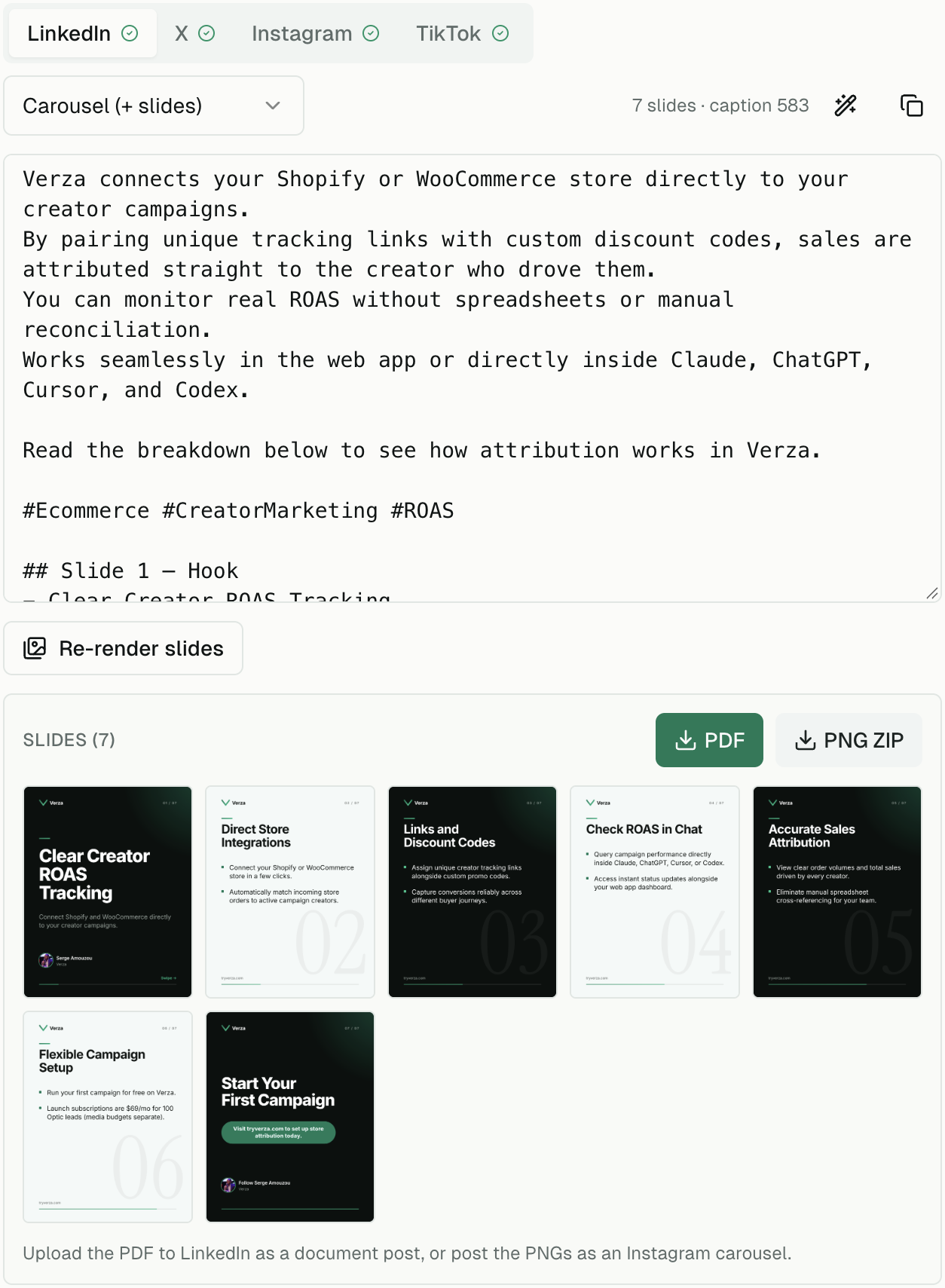
Download a carousel as a PDF for LinkedIn or as images for Instagram. A script can become a vertical video you download, or that auto-publishes with the post.

An approved Prism draft, written for LinkedIn from one idea
One idea, written for LinkedIn. The same idea can be rewritten for X, Instagram, and TikTok.
A seven-slide carousel in Prism, with PDF and PNG downloads
A branded carousel. Download the PDF for LinkedIn, or the images for Instagram.
A TikTok script in Prism beside a vertical video preview
A script turned into a vertical video. This preview is an example from Verza’s own calendar, about 20 seconds.

Plans

Free to start. Launch when you want it to publish itself.

Free
$0
The calendar, composer, and approvals on every channel. Your brand setup and voice profile. 15 AI actions a month, one Studio run, 3 carousel or graphic renders, and one 10-second AI video.
Launch
$199/mo
Unlimited Studio, carousels, and graphics. 1,000 AI actions a month, auto-publishing, and 60 seconds of AI video. Extra video credits from $18. Includes $5 a month of X posting fees. Beyond that, X’s rates plus 5% for processing.
Enterprise
Custom
Unlimited AI, multiple brands, custom workflows, dedicated onboarding and support, and custom terms.

Creator campaigns still start in Optic, then the Vault, then Attribution.

Optic/Vault/Attribution